Geomagic Control X · On‑Site Training in Canada

Geomagic Control X
Training in Canada

A 2-day, hands-on 3D inspection course delivered at your facility, anywhere in Canada. Your team learns to align, inspect and report on your own parts. Private, and taught by specialists.
2 days, on-site anywhere in Canada. A private course for your team only, on your own parts, taught by Geomagic specialists. We respond to every training request within one business day. See all Geomagic courses.

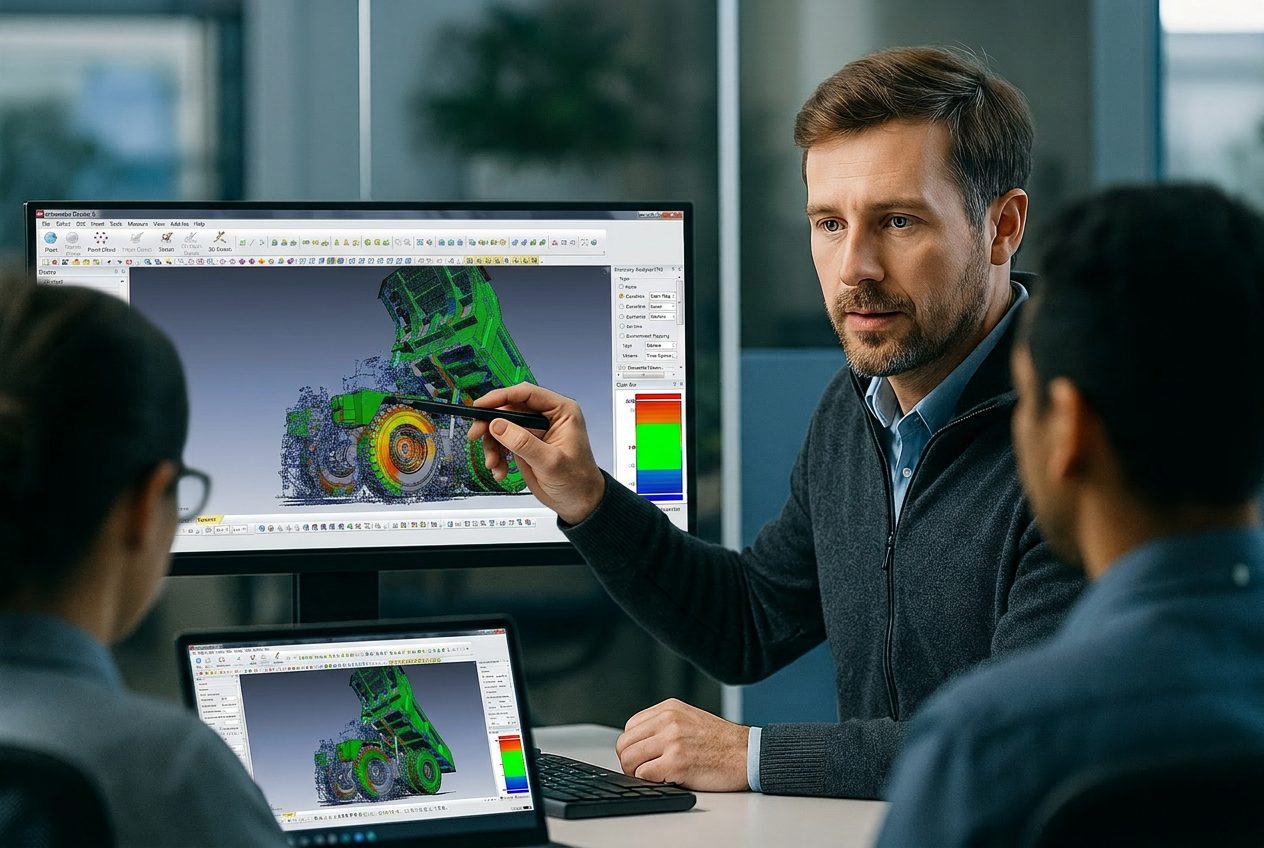
An instructor pointing to a colour deviation map of a scanned part in Geomagic Control X while a class follows along on laptops
2 DaysDuration
On‑siteDelivery
NonePrerequisites
FundamentalsLevel
Who It Is For

Built for Teams That Inspect Parts

Control X training suits any team that needs to compare physical parts against CAD and report the results.

Quality Engineers

Build repeatable inspection routines and clear reports that stand up to customer review.

Metrology Technicians

Move from point-by-point probing to fast, full-surface inspection of parts with scan data.

Production Engineers

See where parts, tools and fixtures drift from nominal, and feed the results back to production.

Engineering Managers

Give the whole team one consistent inspection method instead of relying on one specialist.

Course Outline

What You Will Learn, Day by Day

Two days covering the full Control X inspection workflow, from raw scan to finished report. The detailed agenda is available on request.

Scan dataReference geometryAlignmentDeviation and GD&TReports
Day 1

Scan Data, Reference Geometry and Alignment

Day 1 builds the foundation for every inspection: clean scan data, clear references and an alignment you can trust. Simulated CMM points use Essentials Connect or Professional.

  • Set up inspection projects with CAD and scan data
  • Build reference geometry, datums and simulated CMM points
  • Align to CAD with best fit, datum, RPS and 3-2-1 methods
Day 2

Inspection, GD&T and Reporting

Edge and trim-line inspection, PMI import, batch processing and multi-part results use Control X Professional. For Essentials teams, we focus on the tools your plan includes.

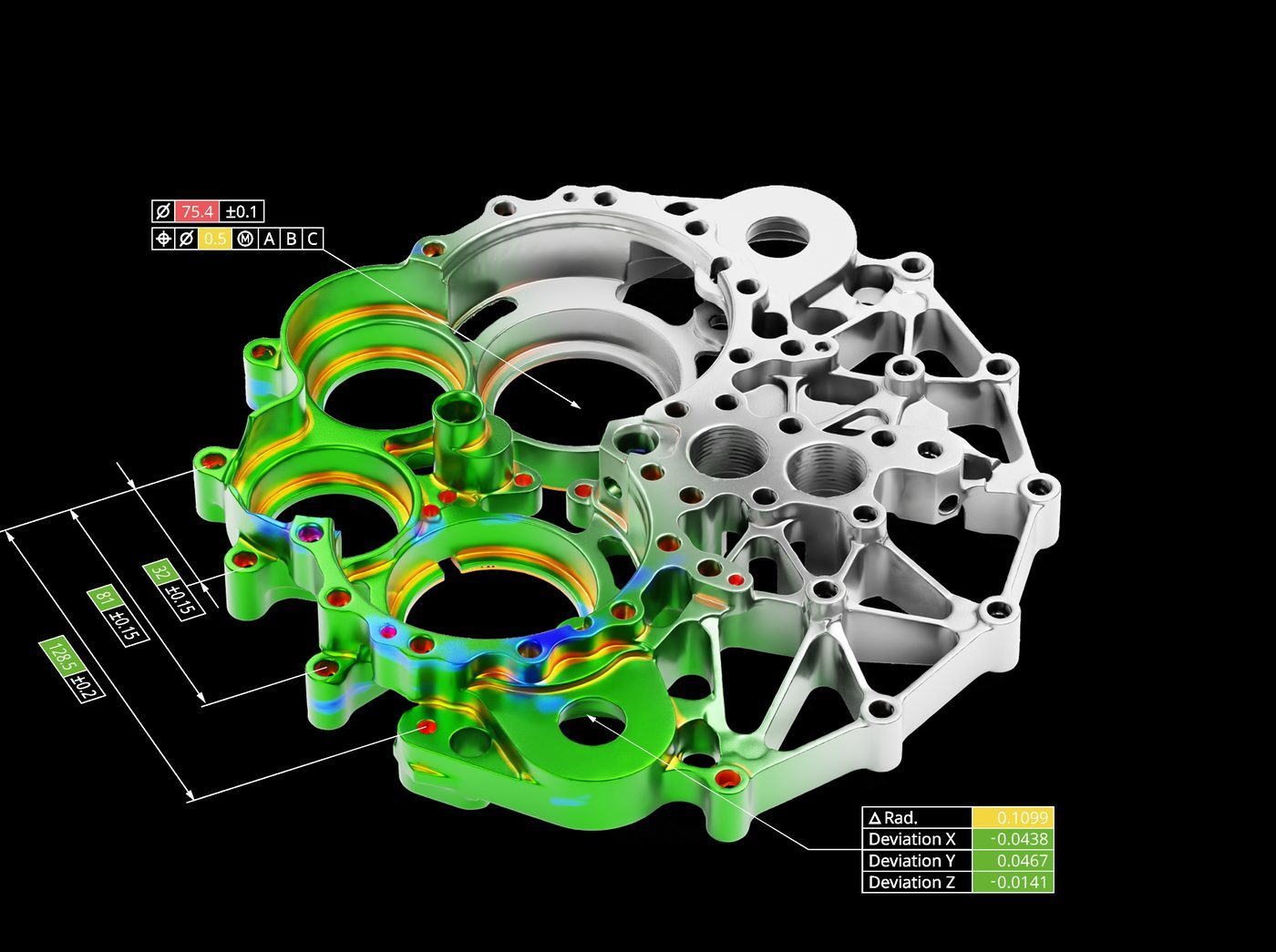
  • Run colour map, deviation callout and 2D section comparisons
  • Apply 3D dimensions and GD&T, or import PMI from your CAD model
  • Build report templates and automate repeat inspections
How We Run It

Private Training at Your Facility

Every Control X course is private to your team and delivered on-site, anywhere in Canada. OptimumARC is a Geomagic authorized training partner, founded in 2009 and based in Canada.

An instructor walking a team through a scanned part on a large screen while they follow along on laptops
1

Pre-Training Call

We talk through your scanner, CAD data and reports, then shape the course around them.

2

On-Site Delivery

Our instructors come to you, anywhere in Canada, so your team trains in its own environment.

3

Your Parts and Scan Data

Your team practises on your own parts and scan data, so new skills go straight into daily work.

4

Follow-Up Support

After the course, your team can come back to us with questions on live projects.

“A beneficial course and system with knowledgeable instructors and great customer service.”

Geomagic Control X course participant, food and beverage manufacturer
Trusted by leading Canadian institutions and organizations

Want the Detailed Agenda?

We share the full Control X agenda with teams planning training. Tell us about your team and we will send it.

Request the Full Course Agenda
FAQ

Control X Training Questions

Do we need our own Control X licences and a 3D scanner?

Each trainee needs a computer with Control X installed. A scanner is not required during the course. We work from CAD models and scan data your team already has, and if you do not have any yet, we plan around that on the pre-training call.

Does anyone need metrology or GD&T experience?

No. This is a fundamentals course with no prerequisites. Team members who already read engineering drawings will get up to speed faster, but it is not required.

Does the course match our Control X plan?

Yes. Control X comes in Essentials, Essentials Connect and Professional, and some tools depend on the plan. We tailor the course to the plan your team runs.

Can the course follow our own inspection reports?

Yes. Share the drawings and report formats your customers expect on the pre-training call, and we build the reporting part of the course around them.

Can we inspect parts that have no CAD model?

Yes. The course covers scan-to-scan comparison, so you can check a production part against a scan of a known good part when no CAD model exists.

Should we take Control X or Design X training?

Take Control X if your goal is inspecting parts against CAD and reporting the results. Take Design X if your goal is building new CAD models from scan data. Some teams need both.

Keep Exploring

Other Geomagic Training Courses

Get Your Team Inspecting with Control X

Tell us about your team, your parts and the reports you need. We will come back with a training plan and a quote.

Request a Training Quote All Geomagic Training →