Geomagic Design X · Reverse Engineering & Scan to CAD

Geomagic Design X
Reverse Engineering Software

The most powerful scan-to-CAD platform available. We help engineering teams implement Design X workflows that turn scan data into parametric models their downstream teams can actually use.
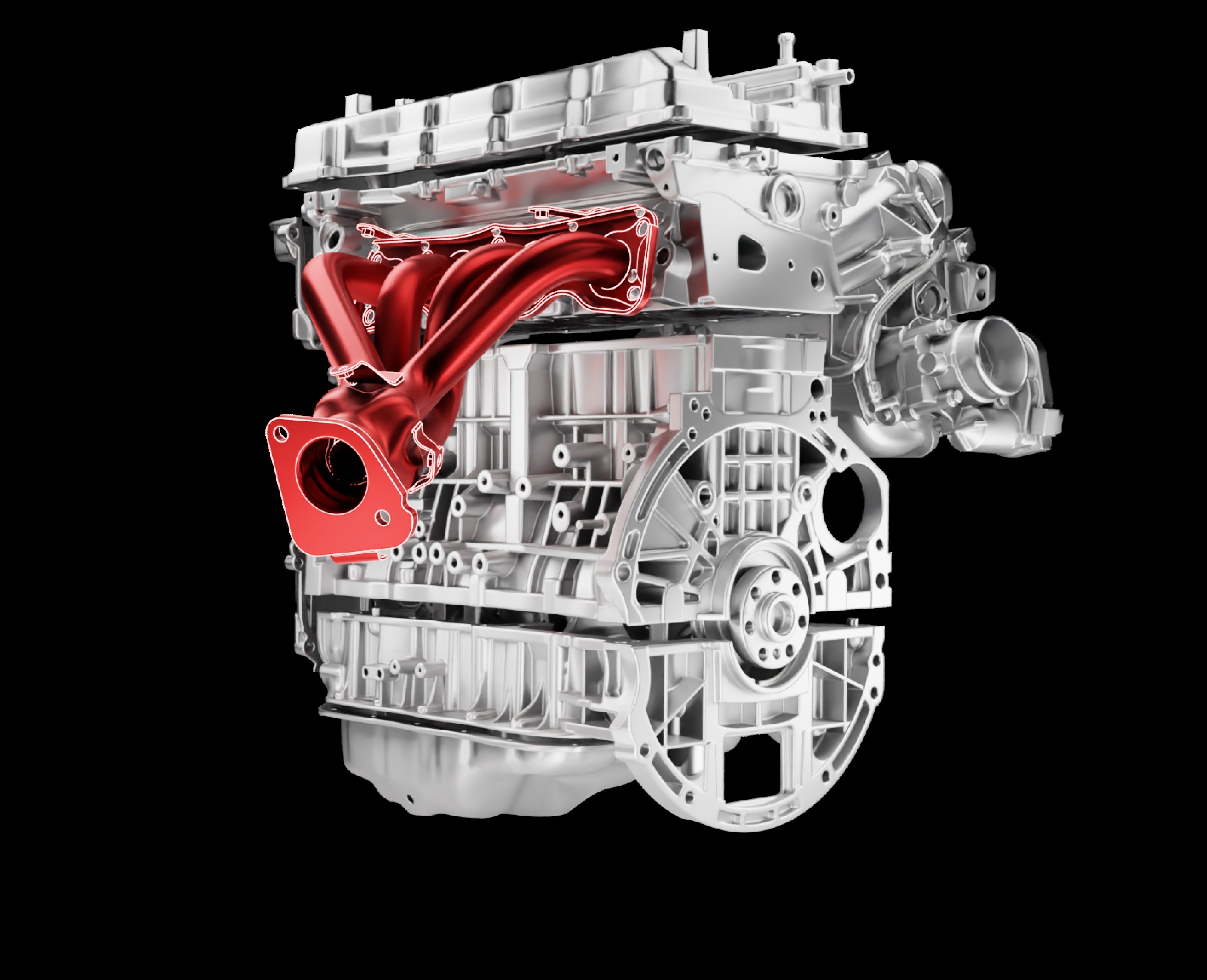
Geomagic Design X modeling wizard, automotive engine reverse engineering scan to CAD
What Is Geomagic Design X

The Industry Standard for Scan-to-CAD Reverse Engineering

Geomagic Design X converts 3D scan data from any scanner into accurate, parametric CAD models in SOLIDWORKS, Siemens NX, PTC Creo, Inventor and more. It is not just a file converter. It is a full reverse engineering environment.

Scan to Parametric CAD

Design X turns point clouds and mesh data into fully editable parametric models, not dumb solids. Your downstream team gets models they can actually work with.

Direct CAD Integration

LiveTransfer sends your model straight into SOLIDWORKS, Siemens NX, PTC Creo, Inventor or AutoCAD, ready to edit. No export and import steps. Design X Pro also exports native CATIA files.

Automated Feature Extraction

Design X's Region Segmentation and Auto Surface tools extract features from scan data intelligently, dramatically reducing manual modelling time on complex geometry.

Common Challenges

Where Teams Get Stuck with Design X

Design X is powerful, but it has a steep learning curve. These are the three problems we see most often.

Slow Processing Times

Complex geometry can take hours to process in Design X without the right scan prep. We design the data pipeline before you open the software, using Geomagic Wrap where scans need heavy prep.

Inaccurate Output Models

Poorly configured Design X workflows produce models that fail downstream. We diagnose the root cause, whether it is scan quality, alignment, or feature strategy, and fix it at the source.

Software Underutilization

Most Design X users are self-taught. That means slow, inconsistent workflows. Our training is built around the features that save the most time, hands-on, using your actual parts.

What OptimumARC Delivers

Geomagic Design X Services

We offer the full range of Design X professional services from a single training session to a complete workflow implementation. See our scan to CAD services for the full process.

Design X Training

Authorized Geomagic Design X training in Canada. Courses designed around your geometry, your scanner, and your CAD platform. Delivered on-site at your facility.

View the Design X Course →

Workflow Development

We design the optimal Design X workflow for your specific use case, scan data prep, alignment strategy, feature extraction approach, CAD output format, and document it so your team can repeat it.

Discuss Your Workflow →

Implementation Support

New Design X licence? We handle the full setup: software configuration, SOLIDWORKS or NX plug-in integration, template creation, and team onboarding. You are productive from day one.

Plan Your Setup →

Project Support

Stuck on a complex part? On a deadline? Our Design X consultants provide on-demand remote support for live projects, a lifeline for teams with tight timelines.

Get Project Help →
Geomagic Design X in Canada

Design X Expertise Is Rare in Canada. We Have It.

The industry is shifting. More manufacturers are investing in 3D scanning, and they need software to extract value from that investment. Geomagic Design X is the tool of choice for reverse engineering and scan-to-CAD work. In Canada, that means demand for Design X expertise is growing fast, but qualified consultants remain rare.

OptimumARC is one of the few authorized Design X training and consulting partners in Canada.

Our Design X training has been delivered to engineering teams at Tier 1 automotive suppliers, aerospace MRO facilities, university engineering programs, government research institutes, and VFX studios. If your team works with scan data and needs to produce accurate CAD output, we have trained teams with your exact challenges. See our case studies, including Design X work in automotive, manufacturing and mining.

Choosing a Tier

Design X Go, Plus or Pro?

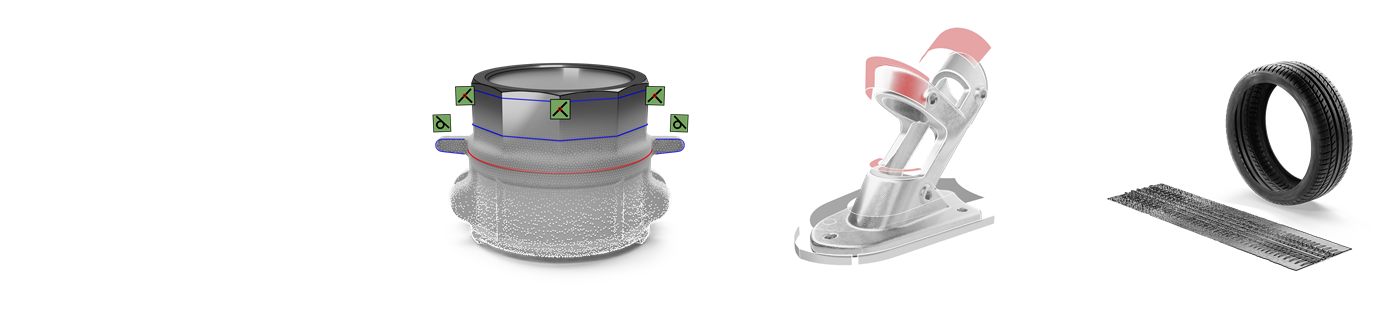
Design X comes in three tiers. Go starts reverse engineering parts with easy-to-use tools. Plus adds direct integration with more scanners and probing. Pro is unlimited reverse engineering, with the full modelling, surfacing and automation toolset.

Geomagic Design X Go, Plus and Pro tiers shown as a scanned pipe fitting, a bracket with extracted surfaces and a tire with its tread pattern
CapabilityGoPlusPro
Extrude, revolve, sweep and loft solidsYesYesYes
Modelling wizards (extrusion, revolution, sweep, loft, pipe)NoNoYes
AutoSketchNoNoYes
Scanner direct controlHandheld and portable scannersAdds arms, trackers and structured lightAdds arms, trackers and structured light
Probing and LiveCaptureNoYesYes
SurfacingAuto Surface and mesh fitAdds selective Auto Surface and surface editingAdds patch fitting, boundary fit and solidify
Mesh repairHealing Wizard, remesh, fill holes, smoothAdds defeature, trim and shrink wrapFull suite, including rewrap and Smart Brush
Colour and texture editingNoNoYes
Batch processingNoNoYes
Native CAD import and exportNoNoYes
SupportEmail, 3 business day responsePhone, remote and workflow support, 1 business day responsePhone, remote and workflow support, 1 business day response
Not sure which tier fits? All three include LiveTransfer to SOLIDWORKS, NX, Creo, AutoCAD and Inventor. Tell us your parts, your scanner and your CAD platform, and we will help you pick the right tier. Request a Design X licence quote.
Pricing

Transparent, Outcome-Based Pricing

Every engagement is scoped to the work. We do not have one-size-fits-all packages. We quote based on your workflow, your team size, and your timeline.

Design X Training

A 3-day course, delivered on-site on your parts, your scanner output, your CAD platform. Contact us for current Geomagic Design X training rates and pricing.

Get Training Rates →

Workflow Consulting

Starts with a paid discovery and assessment. Most projects run 2–8 weeks. Deliverables include documented workflows and templates your team can run independently.

Request a Quote →

Geomagic Design X Licence

We are an authorized Geomagic partner. We can advise on the right Design X configuration for your use case and connect you with the right licensing option. Ask us.

Discuss Licensing →
FAQ

Geomagic Design X Questions

What is the difference between Design X and Geomagic for SOLIDWORKS?

Geomagic for SOLIDWORKS is a plug-in that works inside SOLIDWORKS and outputs SOLIDWORKS parts only. Design X is a standalone reverse engineering environment with a fuller mesh repair toolset and LiveTransfer to several CAD platforms. If your team models only in SOLIDWORKS and your parts are moderately complex, the plug-in is often enough. See our Geomagic for SOLIDWORKS page for a side-by-side comparison.

Which Design X tier do we need?

Go covers core scan-to-CAD with solids, basic surfacing and mesh healing. Plus adds probing, arm and structured light scanner control, and faster support. Pro adds the modelling wizards, AutoSketch, advanced surfacing, colour and texture, batch processing and native CAD import and export.

Does Design X work with my scanner and CAD software?

Yes, in most cases. Design X imports over 60 file formats and controls a wide range of scanners directly, from handheld scanners in every tier to arms, trackers and structured light systems in Plus and Pro. LiveTransfer sends complete models, including feature trees, into SOLIDWORKS, NX, Creo, AutoCAD and Inventor.

Is Design X the same as Control X?

No. Design X turns scan data into editable parametric CAD. Control X compares a scanned part to its CAD model and produces inspection reports. Our Design X vs Control X guide explains which one you need.

How long does Design X training take?

Our Design X course runs 3 days, delivered on-site at your facility on your own geometry, scanner output and CAD platform. See the Design X course outline.

Can we buy Geomagic Design X licences in Canada?

Yes. OptimumARC is an authorized Geomagic partner based in Canada and sells Design X Go, Plus and Pro licences directly, with Canadian support and optional training.

Get More from Geomagic Design X

Book a free 30-minute call. Tell us what you are trying to do with Design X, we will tell you exactly how to get there faster.

Book a Design X Discovery Call Get a Design X Licence Quote →