ScanHub · Hardware as a Service

Professional 3D Scanning. Walk Up and Go.

No training. No staff. No waiting. ScanHub puts a professional 3D scanner in your space and hands the controls directly to your users.

20 minutes. No commitment. We will show you the system live and help you figure out if it is the right fit.
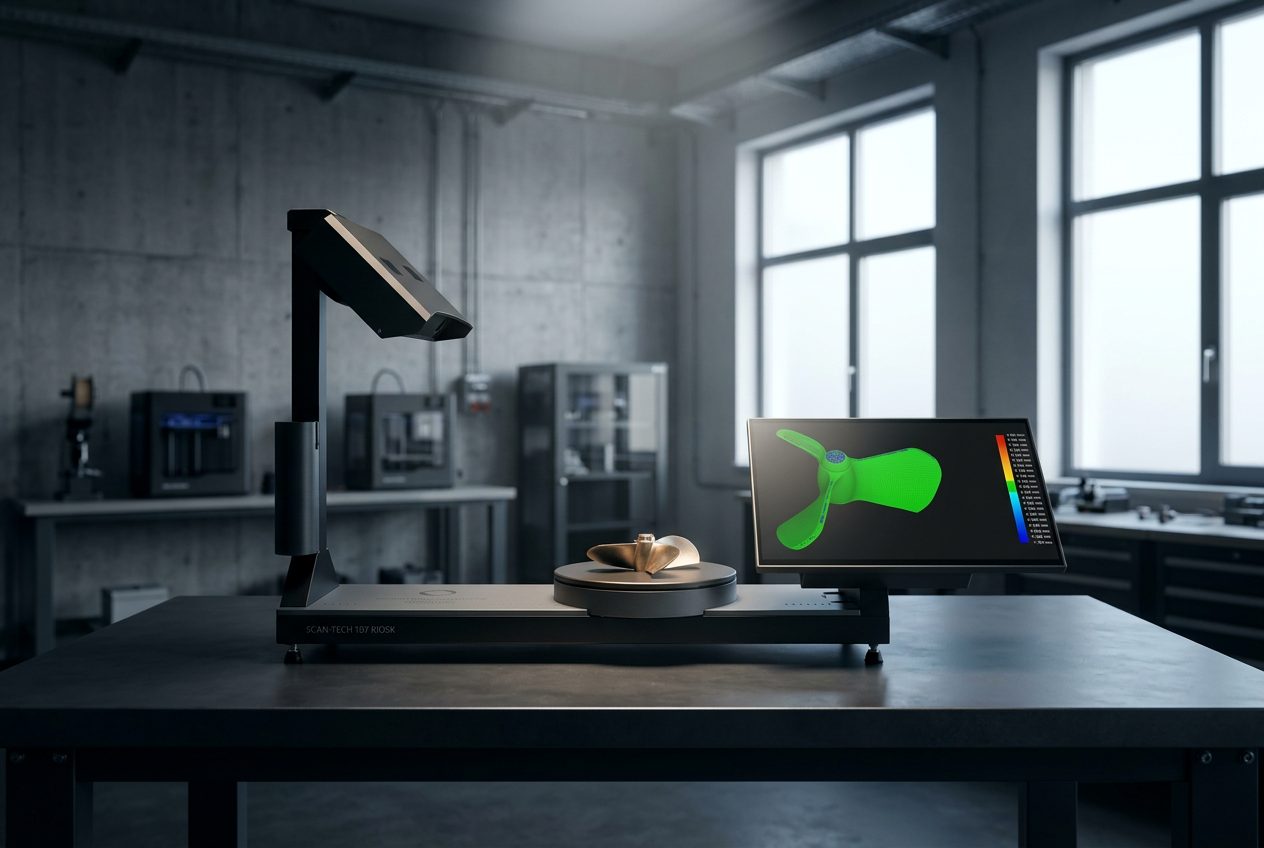

ScanHub 3D scanning kiosk
Trusted by leading Canadian institutions and organizations
The Problem We Solve

Scanners Sit Idle.
Projects Slow Down.

Most campuses and organizations already have 3D scanning equipment. The challenge is that access is limited, locked behind training requirements, restricted lab hours, and overworked staff.

ScanHub was built to remove those barriers. Backed by over 17 years of real-world 3D scanning experience, it delivers professional, self-serve scanning in a walk-up kiosk format.

Users scan in minutes and receive files instantly. Institutions increase access, improve utilization, and add real capability, without adding headcount.

Minutes
Time to first scan
Zero
Training required
Instant
File delivery
Full
OptimumARC support
Hosting Options

Two Ways to Bring ScanHub to Your Space

Whether you need dedicated access for an internal team or shared access for your campus or community, ScanHub has a hosting model that fits. Deployed on a monthly Hardware-as-a-Service model — no large capital investment required.

Option 1

Private Hub

Dedicated access for internal teams

Why host a Private Hub?
  • Give your team instant access to professional 3D scanning
  • Reduce outsourcing costs and turnaround time
  • Control who can access scans and monitor system usage
  • Receive files instantly by email, USB, or QR code
  • Integrate scanning directly into your engineering workflow
Best for: internal teams, engineering departments, R&D labs, classrooms
Option 2

Public Hub

Shared access for campuses and communities

Why host a Public Hub?
  • Provide shared access to professional 3D scanning
  • Attract students, researchers, and local businesses
  • Increase traffic and engagement in your space
  • Quick, self-serve, and easy for staff to manage
  • Offer scanning as a service and generate new revenue
Best for: libraries, makerspaces, innovation centres
The Process

How Your ScanHub Hosting Program Works

We handle everything. Your team starts scanning immediately.

1

We Deliver & Set Up

Calibrated and ready to run on arrival. No technical setup required on your end. Desk footprint: approx. 107 × 28 × 75 cm.

2

Your Users Start Scanning

On-screen guidance walks users through every scan. No training needed. Files delivered instantly.

3

We Handle Everything After

Ongoing support, software updates, and maintenance are all handled by OptimumARC. Your team just scans.

Who It is For

Built for Real Institutional & Enterprise Environments

ScanHub is deployed in academic, industrial, and community settings across Canada, designed to run reliably wherever your team works.

Universities & Colleges

  • Shared scanning for courses, labs, and research programs
  • Supports engineering, design, and skilled trades curricula
  • No need to purchase or maintain scanners in-house
  • Students get hands-on experience with professional tools

Companies & Internal Teams

  • Dedicated access for engineering and R&D teams
  • Faster design cycles and reduced outsourcing costs
  • Secure, controlled scanning environment
  • Integrates directly into existing engineering workflows

Makerspaces & Innovation Centres

  • Add 3D scanning as a community-accessible service
  • Attract new members and increase facility engagement
  • Self-serve model means minimal staff involvement
  • Generate revenue through pay-per-scan or membership tiers

Libraries & Public Facilities

  • Offer professional-grade scanning to the public
  • Expand your technology services beyond 3D printing
  • Minimal day-to-day management required
  • Supported and maintained remotely by OptimumARC

See It Live Before You Decide

Book a virtual demo and we will walk you through exactly how ScanHub works. No commitment required.

Book a Virtual Demo
Common Questions

Frequently Asked Questions

ScanHub is designed for professional and public environments. A small, secure area with standard power and a stable internet connection is all that is required. The typical desk footprint is approximately 107 × 28 × 75 cm, about the size of a standard workstation.
Yes. ScanHub can be hosted in public-facing locations like makerspaces and innovation labs, or used as a dedicated internal tool for engineering and R&D teams. The hosting model is configured based on your access requirements.
Our team handles system delivery, installation, and initial setup. We make sure everything is ready to run before we hand it over, your team does not need to do anything technical to get started.
Very little. ScanHub is designed to be fully self-serve with simple on-screen guidance for users. Staff do not need to supervise or assist with scans in normal operation.
We provide ongoing software updates and remote support. We work closely with hosts to ensure the system runs reliably. End-user support for scan workflow questions is also available through OptimumARC.
Book a virtual demo using the link on this page. We will show you the system live, answer your questions, and help you figure out if ScanHub is the right fit for your space. No obligation.
"Our scan time dropped to minutes."
St. Clair College, School of Engineering Technologies, Apprenticeships & Skilled Trades
Get Started

Book a Virtual Demo

We will walk you through the system live, show you how a scan works end to end, and help you figure out whether ScanHub is the right fit for your space. No obligation.

1

Pick a Time

Choose a time that works for you using the booking link below. Takes 30 seconds.

2

See It Live

We demo the full scan workflow virtually, walk through hosting options, and answer your questions.

3

We Send a Proposal

If it is a fit, we follow up with a deployment proposal tailored to your space and access model.

Book a Virtual Demo →

Prefer to reach us directly? Email info@optimumarc.com